Consult session management
This build manages staff consult sessions only. It does not connect audio/video or record calls. Patient admission and telemedicine navigation/capability release gates remain unfinished.
In an authorized provider workspace, select a patient using global search. The consult workspace
at /telemedicine/consults names that patient above the session list. Check this name before creating
a session. Create consult creates an unscheduled session; “Ready to join” is a lifecycle state,
not evidence of a connected call. End consult asks for confirmation. Confirming changes its
state to “Ended” and removes the end action. Cancelling the confirmation makes no change.
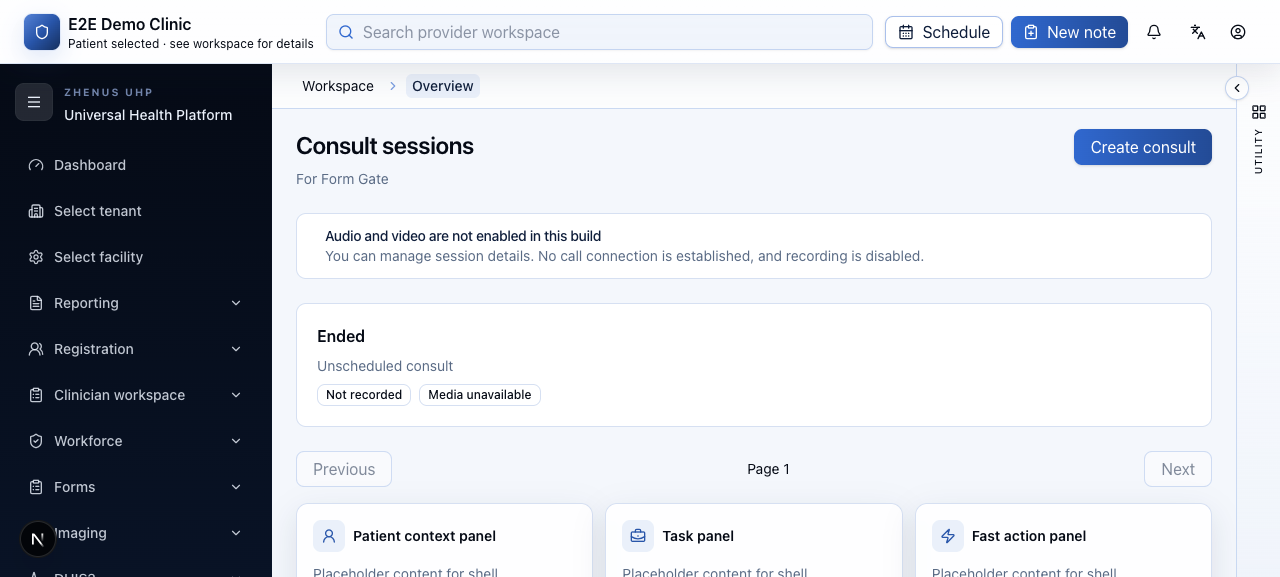
The screenshot uses demo data. Live local acceptance verified authenticated tenant/facility scope, patient-scoped listing, creation (HTTP 201), confirmed end (HTTP 200) and refreshed ended state. The provider header acknowledges patient selection without disclosing identity; check the patient name in the consult body. Do not infer native acceptance, patient admission or a functioning call from this walkthrough.